





4-axis CNC with a RichAuto controller
Special G-code requirements for RichAuto DSP controllers
Most large CNC machines are delivered with a industrial CNC controller (like Fanuc, Heidenhain, Haas,...), featuring a touch-screen user interface. Most small machines have a controller that uses control software for the user interface, running on a standard PC. A third method is to use a DSP: a Digital Signal Processor. The CNC machine then is operated using a handheld controller, featuring a small display and a small number of buttons.
RichAuto offers such handheld controllers for CNC machines. Many different models are available.
The G-code file is transferred to the controller using a USB stick (USB flash drive), and all user interaction is done using the buttons on the handheld controller.
DeskProto works well for machines with a RichAuto controller.
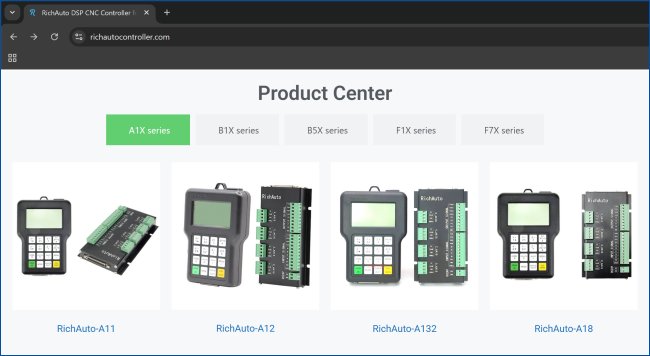
Some RichAuto controllers (source: the RichAuto website).
Settings for rotary machining
For rotation axis machine (with a 4th axis) the best way to set the feedrate is to use Inverse Time Feedrate. DeskProto offers that option since version 7.0 (released in 2018). The RichAuto controllers support this advanced option too.A DeskProto client with a RichAuto controller, model B581E, found that on his machine the actual feedrate for rotary movements was not correct: the movements were far too slow. In order to achieve the correct feedrate he needed to change the settings for Inverse Time feedrate in the DeskProto postprocessor: as units he needed to select "1/hr" instead of the default "1/min" for a correct result.
Unfortunately we do not yet know if this is true for all RichAuto controllers or only for this specific model B581E. Please email us when you have more information about this.