





Download the DeskProto CAM software.
DeskProto V 8.1: Free CAM software download.
All four editions of DeskProto V8.1 (Free, Entry, Expert and Multi-Axis) share the same installation file, that you can download here. After downloading and installing DeskProto 8.1 you can use the Free edition as long as you like, without any payment. The three extended editions can be used in Trial mode, these editions will be unlocked after buying a license.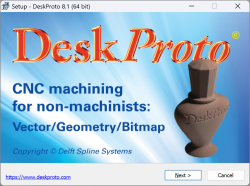

Click on the image to download your installation file for DeskProto V8.1 (Win, Mac or Linux)
In DeskProto V8.1 the same installation file can be used for all 10 languages: the first question during installation will be which language you want to use.
You can install DeskProto V8.1 as follows:
- Windows : Start the Setup.exe file and then follow the Setup wizard.
- MacOS : Mount the DMG file and drag DeskProto to your Applications folder.
- Linux : In the Properties of the AppImage file check 'Allow executing the file as a program'.
All four DeskProto editions (Free, Entry, Expert and Multi-Axis) share the same easy-to-use interface. All editions can read each other's project files, so after upgrading (for instance) from the Entry Edition to the Expert Edition all projects created with Entry still can be opened. Of course we offer a special price when upgrading to a higher edition.
DeskProto V8.1 can be installed and used on the same PC as a previous DeskProto version: each version (like V8.0 or V7.1) will function completely independently. If DeskProto V8.1 is already present then again running the Setup will over-write any changes that you made in the standard cutters, machines and postprocessors.

- Version 8.1 the current version, see above
- Extra information about Setup, Start and Uninstall
Extra information
Setup tips
DeskProto for Windows will be installed by starting the exe file and following the Setup wizard.More Setup information (also on MacOS and Linux) in how to install your DeskProto software.
Quick Start
For a smooth start in learning how to use DeskProto, read the Quick Start manual.Uninstall
Uninstalling the DeskProto software on Windows is easy:- click the Windows Start button, select 'All Programs', open the folder 'DeskProto 8.1' and click 'DeskProto 8.1 uninstall'.
In case this does not work you can also uninstall as follows:
- click the Windows Start button, select 'Control Panel', 'Programs', 'Uninstall a program'. Now click on line 'DeskProto 8.1' and then press button Uninstall.