




DeskProto user forum
Forum: communicate with other users
|
|
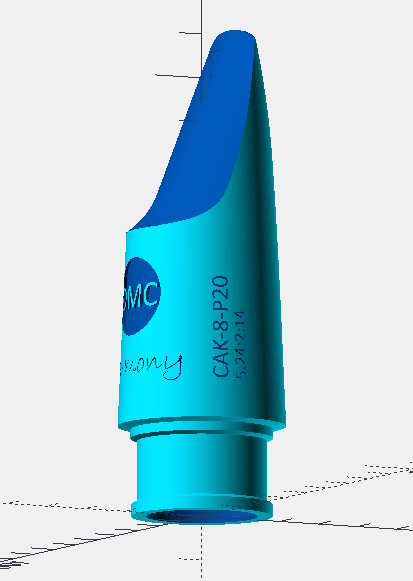 I want make a logo and text on a curved object. The object itself is made in two halves and then glued together. The idea is to mount the object then on the 4th axis and add the logo and text. The logo and text are already in the STL source file. My first idea was to mill it using a V-shaped flute. Bu I do not see how that can be configured. I tried the process desscribed in tutorial 8 but the option Project vector curves on 3D Part geometry remains inactive. Is the first option possible? And otherwise how do I get the second option working. |
|
Maybe nice to add a link to my project: basensax.nl/innovatie/480-een-mondstuk-van-accoya-hout and basensax.nl/mondstukken-blog/481-houten-masterlink-voor-baritonsaxofoon. (the links are to a website in Dutch). |
|
Hi Johan, The best way to machine logo and text is using vector machining. When doing this based on only an STL file the result will less accurate ánd take more time. The option to project on the 3D part geometry is active only when before the vector operation a geometry operation is present (which may be a dummy operation). You can use the V-shaped flute and in the Vector operation select V_Carving. BTW: great results ! Especially your first link, as that shows the complete CAM - CNC process. Lex. |
|
|
|
|
|